Lesson 7 of 7 · 12 min
Cool Things You Can Make With AI
This is where AI stops feeling like a place to ask questions and starts feeling like a creative tool.
You can point your camera at the ingredients on your counter and ask, “What can I make?” You can turn a messy page of handwriting into a study guide and quiz. You can describe a trip and leave with a visual itinerary sized for your phone.
The exciting part is not that AI writes. It is that you can give it one kind of material and ask it to help you transform it into something completely different.
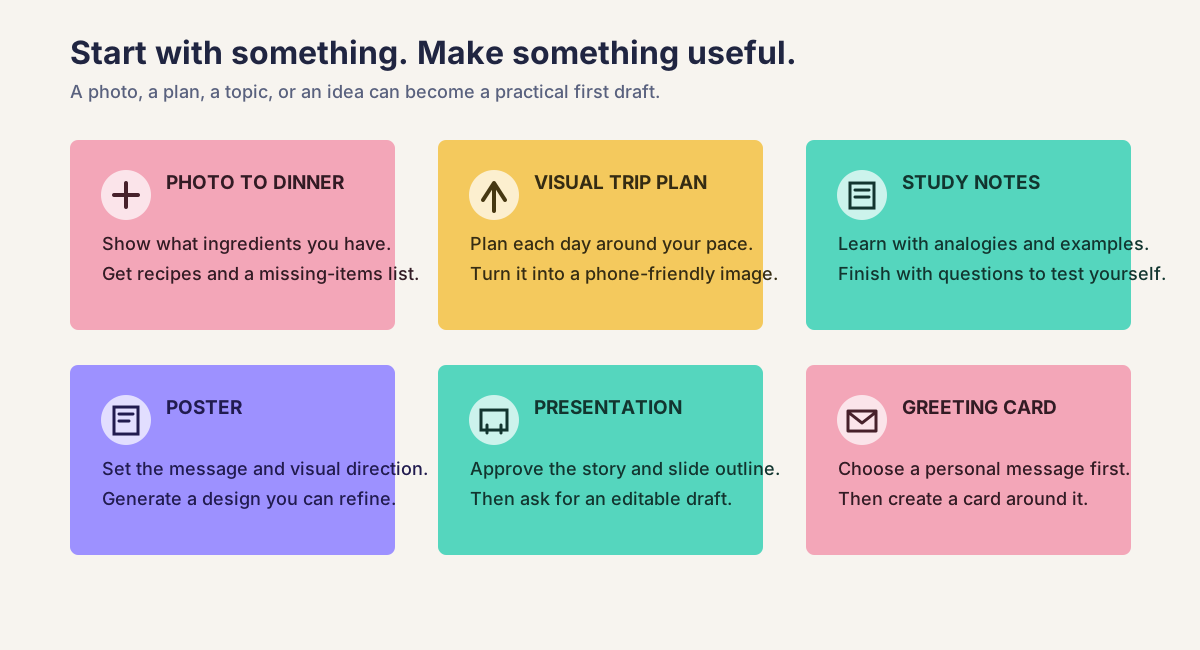
Twelve things to try when you want that “wait, it can do that?” feeling
Start with something already in front of you:
- Photograph your ingredients. Get three dinner options, substitutions, and a missing-items list.
- Describe a trip. Build a day-by-day plan, then turn it into a phone-friendly itinerary image.
- Photograph handwritten notes. Turn them into a clean study guide, flashcards, and a practice quiz.
- Make a poster. Give it the exact event details, audience, mood, and colors.
- Build a presentation. Start with a document or rough notes, approve the story, then create the slides.
- Create a greeting card. Make the message personal before generating the card design.
- Photograph a room. Ask for three furniture layouts using only what you already own.
- Empty your brain into a voice note. Ask AI to separate ideas, decisions, questions, and next actions.
- Upload a child’s doodle. With permission and no identifying details, turn it into a short story or a coloring-page concept.
- Photograph your bookshelf. Ask for a reading path based on a topic or mood, using only books it can identify confidently.
- Share a confusing chart or diagram. Ask for a plain-language walkthrough, then questions that test whether you understood it.
- Photograph clothes you already own. Ask for outfit combinations for a trip, event, or week of weather.
Not every tool supports photos, audio, image creation, or downloadable files. If yours does not, describe the input in text or ask it to create a detailed brief for another tool.
For food ideas, confirm every ingredient yourself. Treat allergies, storage, cooking temperatures, and food-safety instructions as things you must verify, not details AI gets to guess.
The transformation prompt
Use this simple structure:
Goal: Turn it into [what you want to make] for [person or situation].
Context: I am giving you [a photo, notes, a document, audio, or an idea].
Constraint: Make it feel [style, tone, or mood].
Constraint: Do not invent [facts, wording, ingredients, dates, or details].
Output: Return it as [a checklist, image, study guide, poster, slides, or card].
For visual work, ask AI to repeat important text before generating the image. Image tools can misspell words or quietly change dates and names. For presentations and study notes, ask it to flag unsupported claims instead of filling gaps with guesses.
The trick that makes creative AI much better
The best results usually come from approving the content before generating the polished output.
- Ask for the recipe choices, itinerary, notes, poster wording, slide outline, or card message.
- Say what you like, correct the facts, and choose one direction.
- Only then ask for the polished image, poster, presentation, or finished card.
This gives you a checkpoint before AI spends effort making the wrong idea look convincing.
Keep the surprise, lose the risk
AI can make an incorrect answer look finished. Check names, dates, facts, prices, routes, opening hours, spelling, and any instructions that affect health or safety. For posters and cards, proofread text after the image is generated. For presentations and study notes, verify claims against the original source.
Do not upload private photos, travel documents, medical information, confidential work files, or images of other people without permission. Crop or remove anything the tool does not need.
Your turn
Choose the idea that made you pause and think, “I want to try that.” Replace the brackets, attach only the material the task needs, and run the prompt. Do not try all twelve today. Make one thing.
Then change one detail and watch the result change with it. That moment, when you realize you can direct the output instead of simply accepting it, is the skill this whole course was building.
You have finished the course when you have made one small thing you genuinely want to keep.
Choose your first wow moment
Pick one transformation, copy the prompt, and replace the brackets. Ten minutes from now, you could have something you did not have before.
Turn a photo of ingredients into dinner ideas
PromptLook at the attached photo of ingredients I have. First, list what you can identify and ask me to confirm anything uncertain. Then suggest three dinner ideas for [number of people]. I also have [pantry basics]. Avoid [allergies or dislikes]. For each idea, include missing ingredients, time, and simple steps. Do not assume an ingredient is safe if you cannot identify it clearly.
A short list of recipes based on what is visible, with uncertainty and missing ingredients made clear.
Your reviewConfirm every ingredient, allergy, cooking temperature, and food-safety instruction yourself.