Lesson 4 of 7 · 12 min
Organize Work With AI
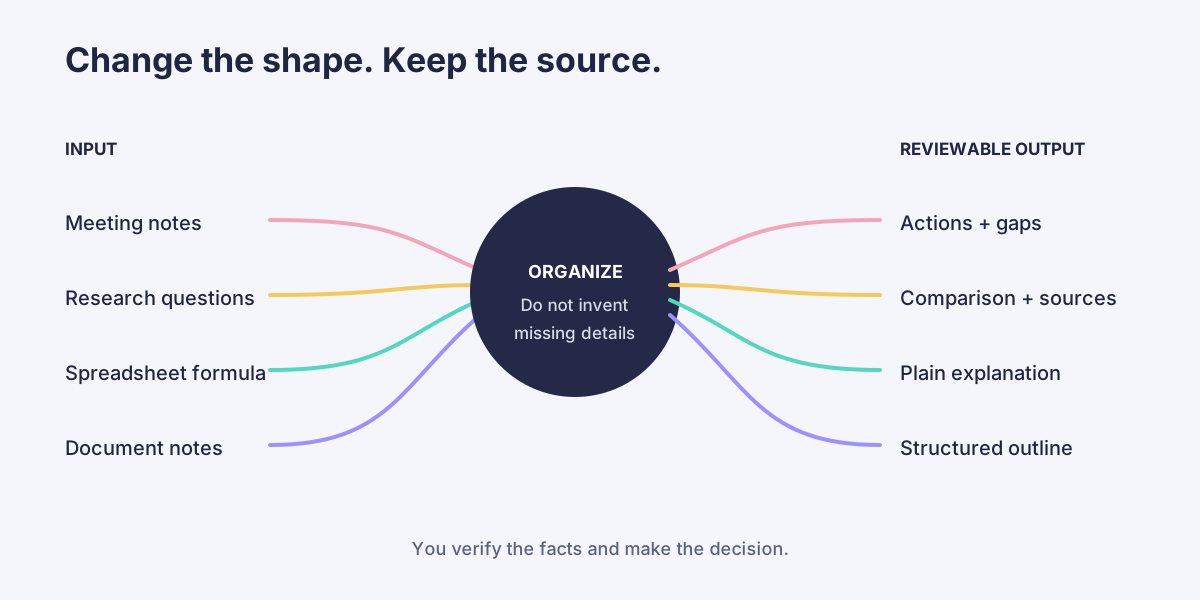
AI is good at changing the shape of information. It can turn notes into actions, a question into a research checklist, a formula into plain language, or source material into an outline.
Separate organizing from deciding
Ask AI to organize what you have before asking it to recommend what to do. This keeps the source visible and makes errors easier to catch.
For meeting notes, specify what AI must not invent:
Organize these notes into decisions, open questions, and action items. Include an owner and due date only when explicitly stated. Put missing details under “Needs confirmation.”
That last sentence matters. Without it, AI may turn an implied next step into a confident assignment.
Build research you can verify
AI can create comparison criteria, generate questions, and identify gaps. Current prices, policies, regulations, and product features can change, so verify them at the original source.
Ask for a verification column:
Create a comparison table for these options. Add a final column naming the source I should check for each claim. If you do not know whether a fact is current, label it “verify” rather than guessing.
Understand spreadsheets without pretending the data is simple
AI can explain formulas, suggest table structures, and help you think through a chart. It cannot see your workbook unless the tool has approved access or you provide the relevant information.
Remove names, account numbers, employee details, customer records, and other sensitive data before using a public tool. When possible, use a small fictional example that preserves the shape of the problem.
Before the next lesson
Open each tab in the workbench below. Copy the prompt closest to a real task, replace its sample details, and write down the one thing you must verify before using the result.
Use AI as an organizer, not the decision-maker
Move between common tasks. Each example shows the request, a useful result, and what still needs your review.
Turn rough notes into clear follow-up
PromptOrganize these meeting notes into decisions, open questions, and action items. For every action item, include an owner and due date only when one is explicitly stated. Put missing details under 'Needs confirmation.'
A structured summary that separates what was decided from what still needs confirmation.
Your reviewConfirm names, dates, and decisions against the original notes before sharing.